> ## Documentation Index
> Fetch the complete documentation index at: https://www.traceloop.com/docs/llms.txt
> Use this file to discover all available pages before exploring further.
# Sessions
> Group traces from multi-turn conversations into sessions
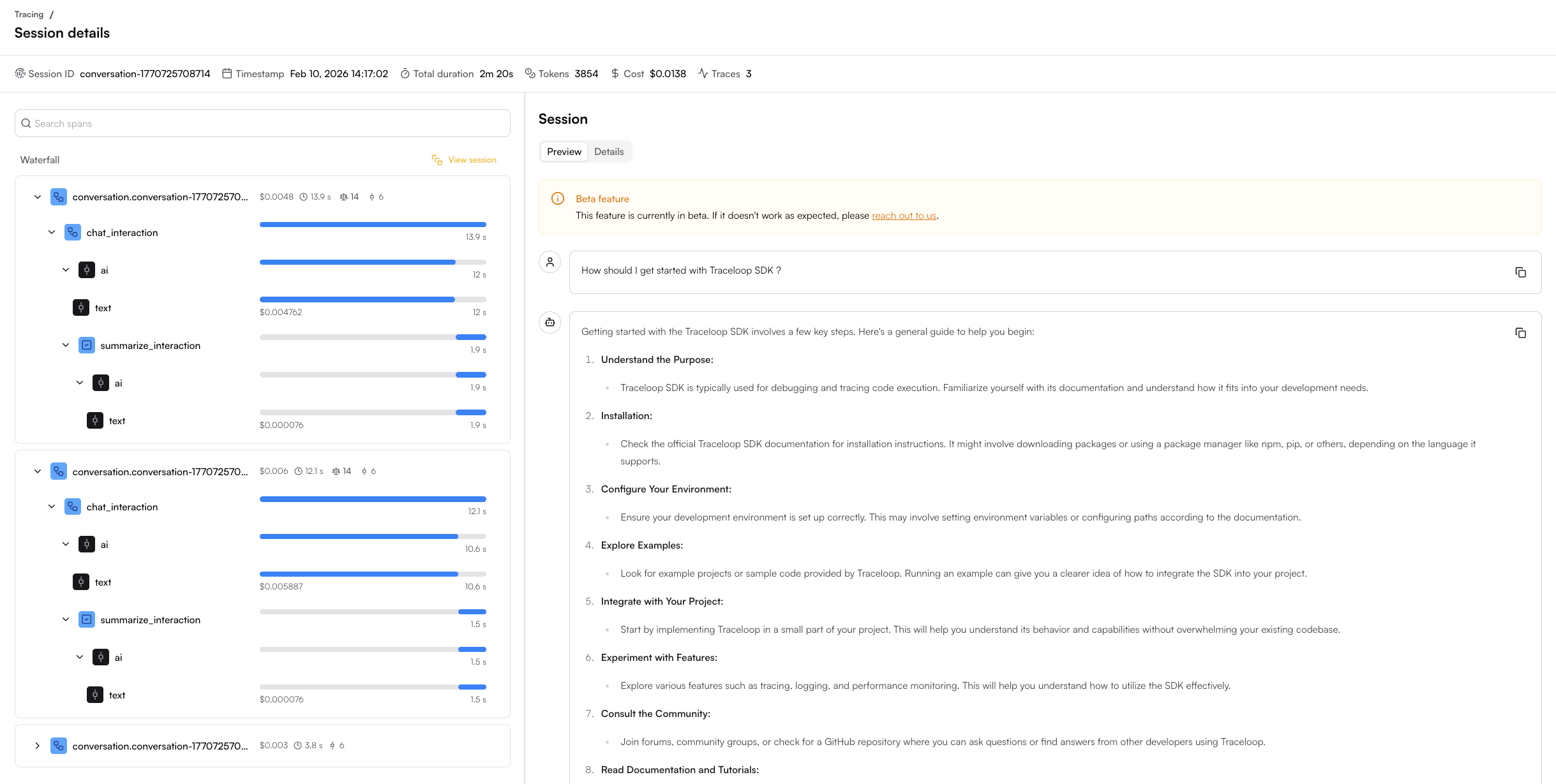
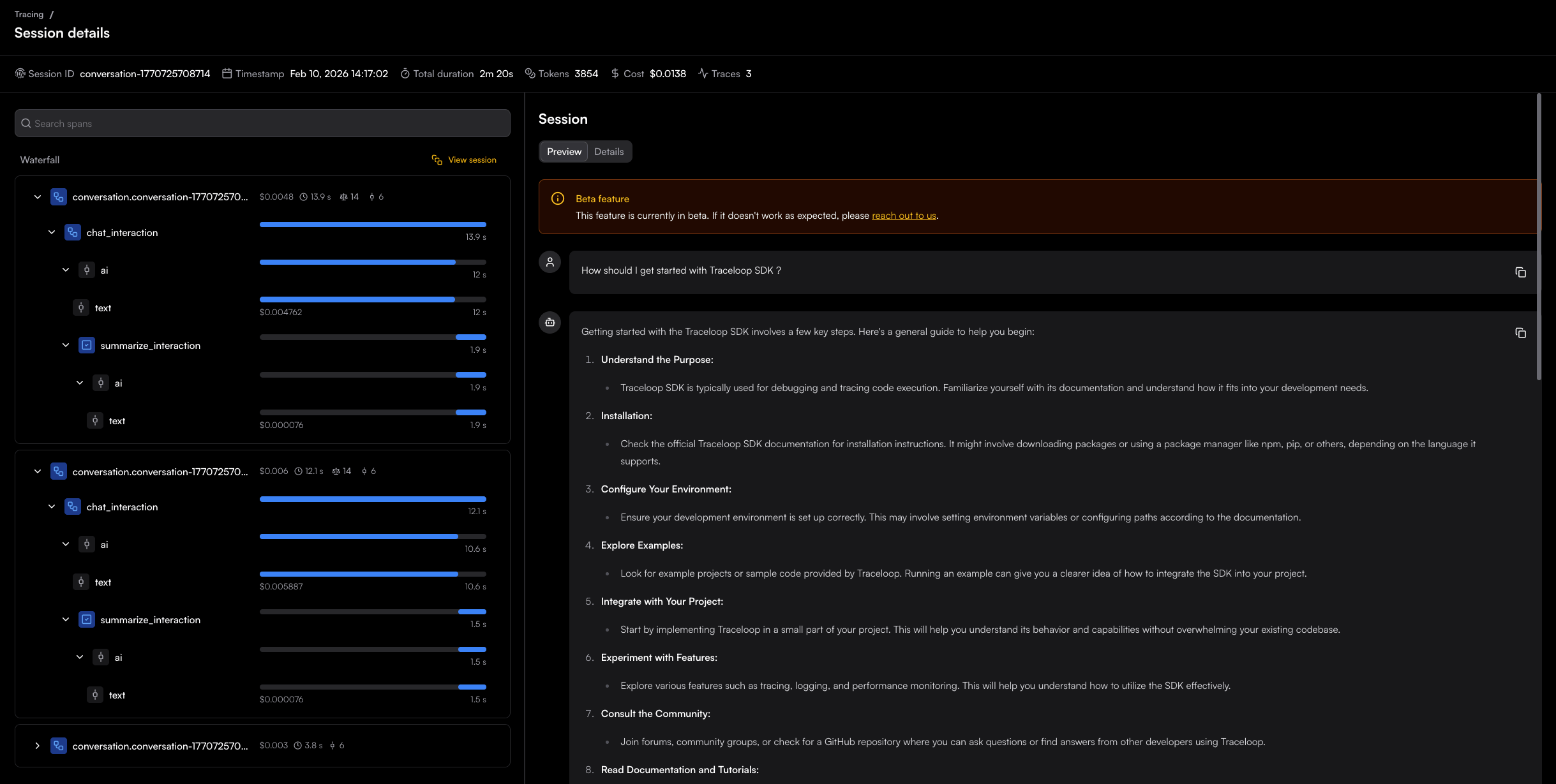 Sessions let you group related traces from a multi-turn conversation into a single view.
When you set a conversation ID on your traces, the Traceloop UI groups them into a session where you can see the full conversation flow and inspect individual spans.
Use a consistent conversation ID across all turns of the same conversation.
Generate a unique ID (e.g. a UUID) when the conversation starts and pass it on each subsequent interaction.
## Setting a Conversation ID
### Using the decorator
```python theme={null}
from traceloop.sdk.decorators import conversation, workflow
@workflow(name="chat_interaction")
@conversation(conversation_id="session-123")
async def handle_message(user_message: str):
response = client.chat.completions.create(
model="gpt-4o",
messages=[{"role": "user", "content": user_message}],
)
return response.choices[0].message.content
```
### Using the direct API
You can also set the conversation ID directly, without a decorator:
```python theme={null}
from traceloop.sdk.tracing import set_conversation_id
set_conversation_id("session-123")
```
### Using the decorator
```typescript theme={null}
import * as traceloop from "@traceloop/node-server-sdk";
class Chatbot {
@traceloop.conversation("session-123")
async handleMessage(userMessage: string) {
const response = await openai.chat.completions.create({
model: "gpt-4o",
messages: [{ role: "user", content: userMessage }],
});
return response.choices[0].message.content;
}
}
```
### Using `withConversation`
```typescript theme={null}
import * as traceloop from "@traceloop/node-server-sdk";
await traceloop.withConversation("session-123", async () => {
const response = await openai.chat.completions.create({
model: "gpt-4",
messages: [{ role: "user", content: userMessage }],
});
return response.choices[0].message.content;
});
```
### Using `conversationId` in workflow config
You can also pass `conversationId` as part of the workflow or task configuration:
```typescript theme={null}
import * as traceloop from "@traceloop/node-server-sdk";
await traceloop.withWorkflow(
{ name: "chat_interaction", conversationId: "session-123" },
async () => {
const response = await openai.chat.completions.create({
model: "gpt-4",
messages: [{ role: "user", content: userMessage }],
});
return response.choices[0].message.content;
}
);
```
Sessions let you group related traces from a multi-turn conversation into a single view.
When you set a conversation ID on your traces, the Traceloop UI groups them into a session where you can see the full conversation flow and inspect individual spans.
Use a consistent conversation ID across all turns of the same conversation.
Generate a unique ID (e.g. a UUID) when the conversation starts and pass it on each subsequent interaction.
## Setting a Conversation ID
### Using the decorator
```python theme={null}
from traceloop.sdk.decorators import conversation, workflow
@workflow(name="chat_interaction")
@conversation(conversation_id="session-123")
async def handle_message(user_message: str):
response = client.chat.completions.create(
model="gpt-4o",
messages=[{"role": "user", "content": user_message}],
)
return response.choices[0].message.content
```
### Using the direct API
You can also set the conversation ID directly, without a decorator:
```python theme={null}
from traceloop.sdk.tracing import set_conversation_id
set_conversation_id("session-123")
```
### Using the decorator
```typescript theme={null}
import * as traceloop from "@traceloop/node-server-sdk";
class Chatbot {
@traceloop.conversation("session-123")
async handleMessage(userMessage: string) {
const response = await openai.chat.completions.create({
model: "gpt-4o",
messages: [{ role: "user", content: userMessage }],
});
return response.choices[0].message.content;
}
}
```
### Using `withConversation`
```typescript theme={null}
import * as traceloop from "@traceloop/node-server-sdk";
await traceloop.withConversation("session-123", async () => {
const response = await openai.chat.completions.create({
model: "gpt-4",
messages: [{ role: "user", content: userMessage }],
});
return response.choices[0].message.content;
});
```
### Using `conversationId` in workflow config
You can also pass `conversationId` as part of the workflow or task configuration:
```typescript theme={null}
import * as traceloop from "@traceloop/node-server-sdk";
await traceloop.withWorkflow(
{ name: "chat_interaction", conversationId: "session-123" },
async () => {
const response = await openai.chat.completions.create({
model: "gpt-4",
messages: [{ role: "user", content: userMessage }],
});
return response.choices[0].message.content;
}
);
```